

Free SKU Plugin – Assign Barcodes & SKU to Woocomerce Shop v1.0.3
Free WooCommerce barcode and SKU plugin to manually assign GTIN barcodes, import up to 500 barcode rows, generate random missing SKUs, and review reports for missing or duplicate product identifiers.
Free WooCommerce Assign Barcodes and SKU Plugin
EasyWpTools Assign Barcodes & SKU Free helps WooCommerce store owners manually assign barcode identifiers, import barcode rows, generate random missing SKUs, and review basic product identifier reports.
This free WooCommerce barcode plugin is designed for smaller stores or users who need simple manual barcode assignment and random SKU generation without advanced Pro automation, barcode printing, category filters, search filters, custom SKU patterns, or premium multilingual features.
Assign Barcodes Manually
Manually assign a barcode or GTIN value to a WooCommerce product using the Product ID.
Random SKU Generator
Generate missing WooCommerce SKUs using simple random SKU generation.
Import Barcodes Limit 500
Import barcode rows into the plugin with a free version limit of 500 rows per import.
WooCommerce Identifier Reports
Review missing SKUs, missing barcodes, and duplicate barcode values from the Reports tab.
Main Features of EasyWpTools Assign Barcodes & SKU Free
- Uses WooCommerce native SKU and Global Unique ID fields
- Manually assign barcodes by Product ID
- Generate random SKUs for products missing SKU values
- Import up to 500 barcode rows
- Import matching mode setting
- Default product view setting
- Reports for products missing SKU
- Reports for products missing barcode or GTIN
- Duplicate barcode detection
- English-only free plugin interface
Installation
- Upload the plugin folder to
/wp-content/plugins/ - Activate the plugin through the WordPress Plugins screen
- Make sure WooCommerce is installed and active
- Open
Products → Assign Barcodes & SKUin the WordPress admin menu
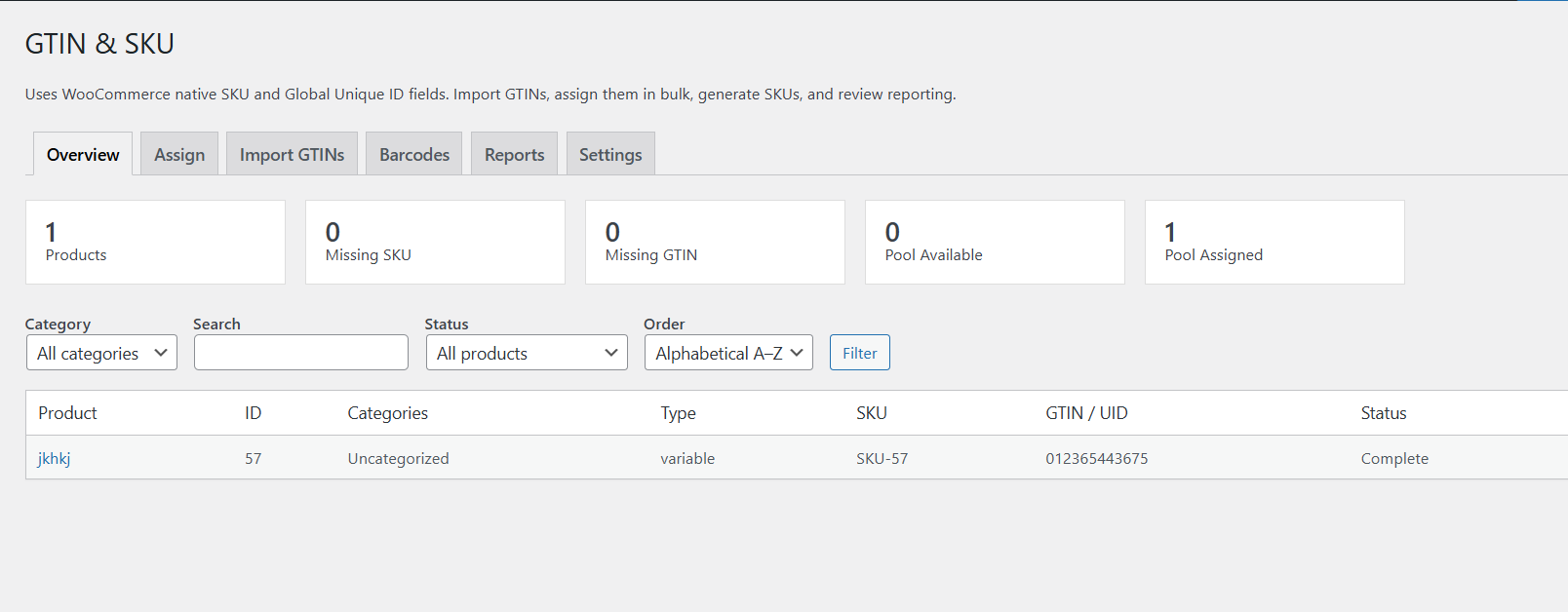
Overview Tab for WooCommerce Barcode and SKU Reports
The Overview tab gives you a quick summary of your WooCommerce product identifier data.
It displays statistics such as:
- Total products
- Products missing SKU
- Products missing barcode or GTIN
- Available imported barcodes
- Assigned barcode values
The free version keeps the overview simple and focused. Advanced product filtering, category filtering, searching, and sorting are available in Pro.
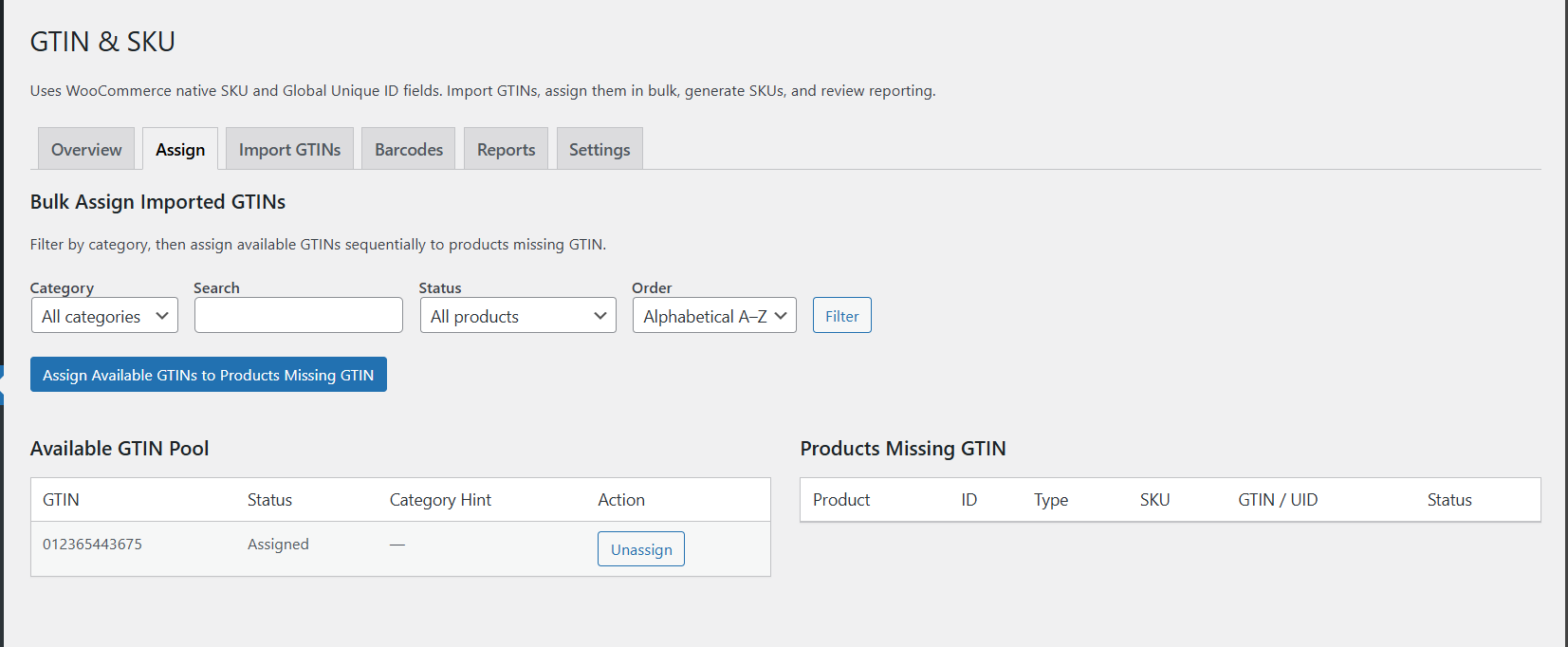
Assign Barcodes and Generate Random SKUs Manually
The Assign tab in the free version is focused on simple manual workflows.
You can:
- Enter a WooCommerce Product ID
- Assign a barcode or GTIN value manually
- Generate random missing SKUs
- Review products that still need identifiers
The free version does not include category filters, search filters, sorting controls, custom SKU patterns, or advanced bulk assignment rules.
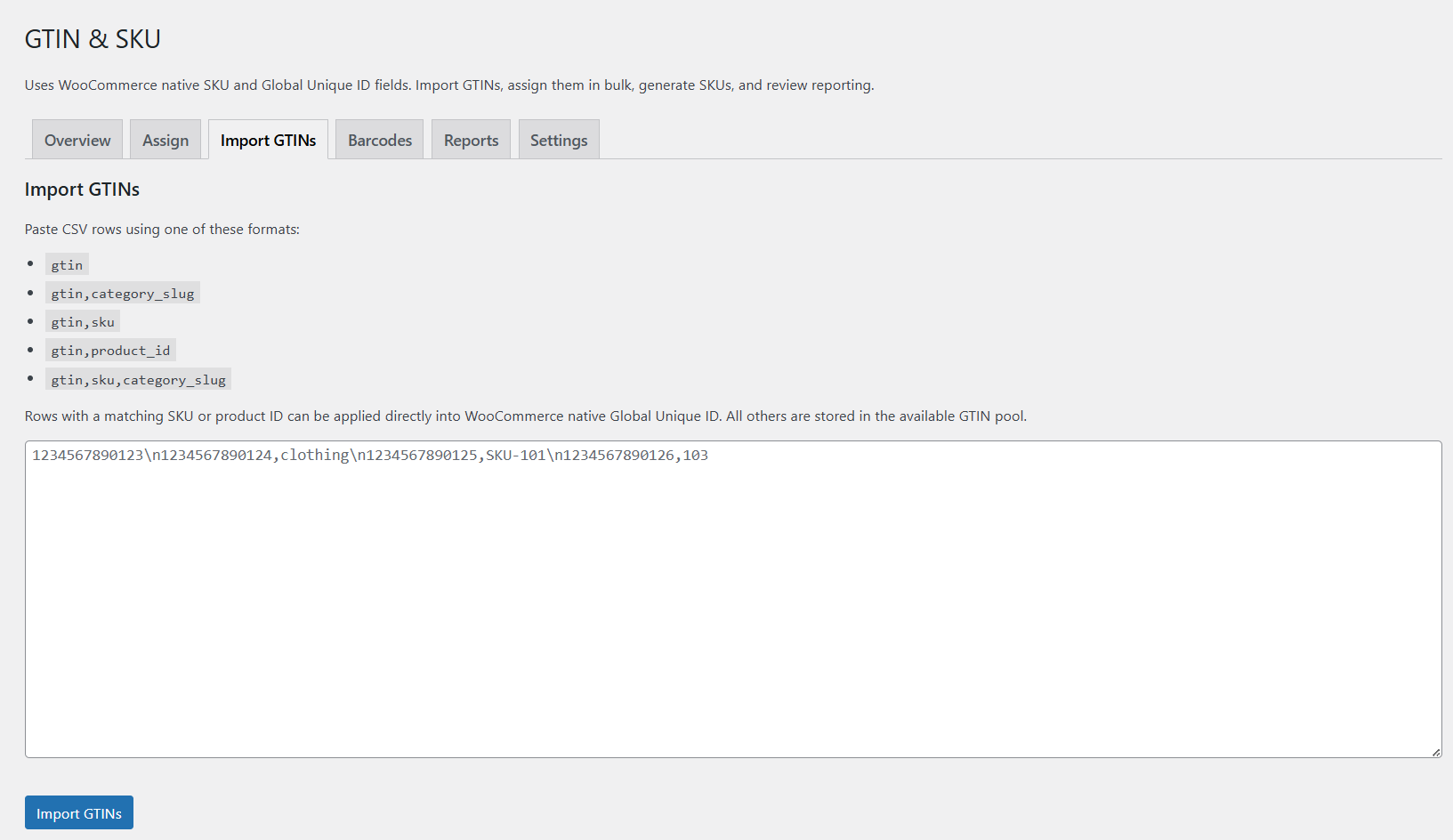
Import Barcodes Tab with 500 Row Free Limit
The Import Barcodes tab accepts pasted barcode rows so you can prepare product identifiers for assignment.
The free version allows up to 500 imported rows. This is suitable for smaller WooCommerce stores or simple product identifier updates.
Depending on your matching mode, imported barcode rows may be matched using Product ID or SKU where supported by the free settings.
Free Barcode Import Limits
- Import up to 500 rows
- Use basic import matching mode
- Store barcode values for later manual assignment
- Review imported identifiers in reports
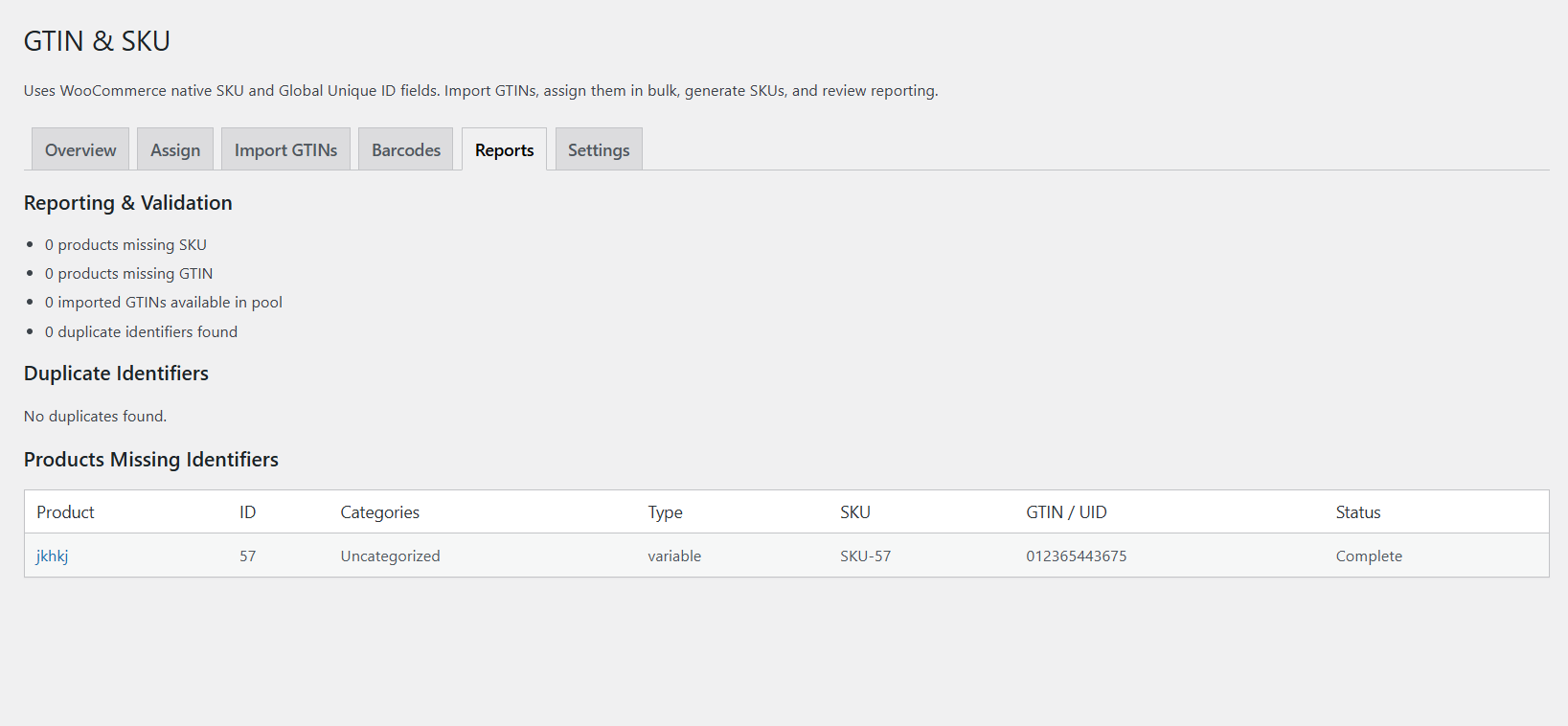
Reports Tab for Missing SKU and Duplicate Barcode Detection
The Reports tab helps you identify product identifier problems in WooCommerce.
Reports include:
- Products missing SKU
- Products missing barcode or GTIN
- Available imported barcode count
- Duplicate barcode or GTIN detection
Duplicate barcode identifiers are listed so you can review affected products and correct catalog data before feeds, stock workflows, or marketplace exports are affected.
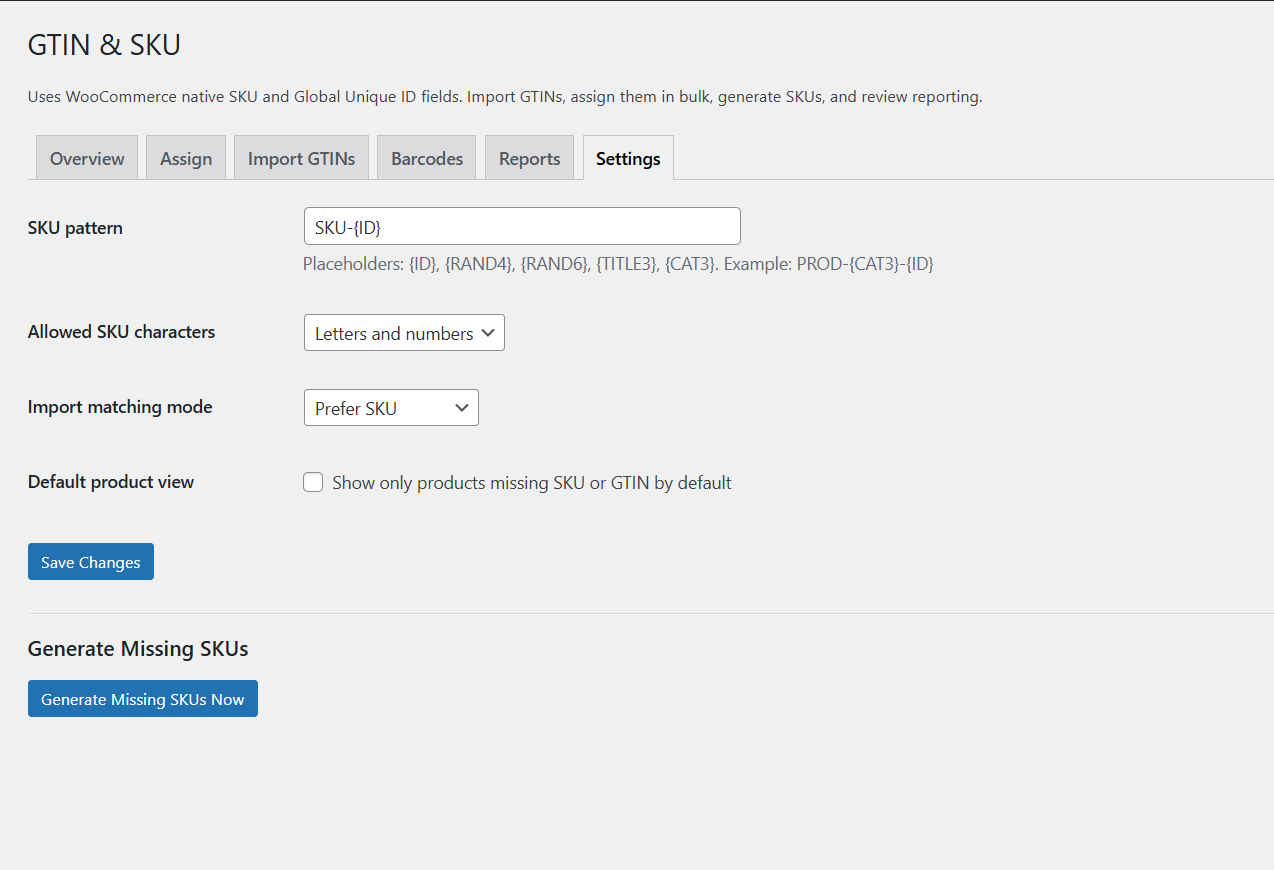
Settings Tab for Import Matching Mode and Product View
The free version keeps settings simple.
Available options include:
- Import matching mode
- Default product view
Custom SKU pattern settings, allowed SKU character controls, advanced filtering defaults, and Pro automation settings are not included in the free version.
Free WooCommerce Barcode SKU Plugin vs GTIN Manager & SKU Generator Pro
What Free Includes
- Manual barcode assignment
- Random SKU generation
- Import up to 500 barcode rows
- Basic reports
- Missing SKU report
- Missing barcode report
- Duplicate barcode detection
- Import matching mode
- Default product view setting
What Pro Unlocks
- Advanced GTIN import workflows
- Higher import capacity
- Category filters
- Search and sort controls
- Bulk assignment tools
- Custom SKU patterns
- Barcode preview and printing
- Advanced reports
- Premium updates
- 10+ translated languages
Why Upgrade to GTIN Manager & SKU Generator Pro
The free version is useful for manual barcode assignment and random SKU generation, but Pro is built for larger WooCommerce catalogs, marketplace workflows, barcode label workflows, and store owners who need faster product identifier management.
Upgrade for Bulk Barcode Assignment
Pro helps assign imported GTINs and barcodes in larger workflows with better filtering and catalog control.
Upgrade for Custom SKU Pattern Generation
Pro unlocks custom SKU patterns based on product ID, title, category, and random placeholders.
Upgrade for Barcode Preview and Print Labels
Pro adds barcode previews and printable labels for product identification and stock workflows.
Upgrade for Category Search and Sort Controls
Pro includes category filters, product search, status filters, and sorting controls for larger catalogs.
Upgrade for Multilingual WooCommerce Barcode Management
The free plugin is English-only. Pro includes multilingual support with 10+ translated languages for international stores and agencies.
Common Problems with Assigning Barcodes and SKUs
Imported barcode did not apply to a product
Meaning: The product may not have matched the imported SKU or Product ID, or the product already had a barcode value.
Fix: Check your import row format and the current matching mode in Settings.
Barcode went into the pool instead of applying directly
Meaning: No matching product was found, or the matched product already had a barcode assigned.
Fix: Use the Assign tab and manually apply it by Product ID.
Random SKU was not generated
Meaning: The product may already have a SKU or WooCommerce may reject a duplicate SKU.
Fix: Check whether the product already has a SKU and review reports for missing SKU values.
I cannot find category filters or search filters
Meaning: Category filters, product search, sorting, and advanced assignment controls are Pro features.
Fix: Upgrade to Pro if you need advanced catalog management controls.
I cannot find barcode printing
Meaning: Barcode preview and printable labels are Pro features.
Fix: Upgrade to Pro if you need barcode label workflows.
Recommended Workflow for Free Barcode and SKU Assignment
- Check the Overview tab for missing SKUs and missing barcodes
- Import up to 500 barcode rows if needed
- Use the Assign tab to manually assign barcode values by Product ID
- Generate random SKUs for products missing SKU values
- Review Reports for missing values and duplicate identifiers
- Upgrade to Pro if you need bulk workflows, barcode printing, category filters, or custom SKU patterns
Important Notes for WooCommerce Barcode and SKU Management
- This plugin uses WooCommerce native fields and does not add a duplicate GTIN field
- The free version is intended for manual barcode assignment
- The free version imports up to 500 barcode rows
- Random SKU generation only applies to products missing SKU values
- Custom SKU patterns are Pro-only
- Category filters, search filters, and sorting controls are Pro-only
- Barcode preview and printing are Pro-only
- Duplicate barcode values can affect feeds, reporting, and external systems
Screenshots Gallery
Click any screenshot to view a larger version.
Frequently Asked Questions
Does this free WooCommerce barcode plugin create a separate GTIN field?
No. It uses WooCommerce’s native Global Unique ID field.
Can I manually assign a barcode by Product ID?
Yes. The free version focuses on manual barcode assignment by Product ID.
Can I generate random SKUs?
Yes. The free version can generate random SKUs for products missing SKU values.
Can I create custom SKU patterns?
No. Custom SKU patterns are available in Pro.
Can I import barcodes?
Yes. The free version supports barcode import with a 500 row limit.
Can I use category filters, search, and sorting?
No. Category filters, search filters, and sorting are Pro features.
Can I print barcode labels?
No. Barcode preview and printable labels are Pro features.
Where do duplicate barcodes appear?
They are listed in the Reports tab with the affected products.
Changelog
1.0.3
- Free plugin release for manual barcode assignment
- Added random SKU generation
- Added import barcode limit of 500 rows
- Added reports for missing and duplicate identifiers
- Added limited settings for import matching and default product view
- Removed category filters, search filters, and sort controls from the free version
- Added Upgrade to Pro tab